All your digital media goodness.
Jan 9 2009
I spent some quality time catching up with the Hava team yesterday. They make a line of placehifting products that compete with the Slingbox. And like the Sling of old, Hava’s not afraid of taking on big media. In fact, they’re really rolling the dice and tempting fate by introducing Sociable TV. Taking an entirely different approach than Sling’s yet-to-be-seen online archiving and sharing service (Clip+Sling), Hava will enable Hava owners to share live television feeds (or DVRed content) via a web portal. To a select group of friends. Or, to the entire worldwide population. Sociable TV is slated to arrive mid-year, assuming the studios, networks, or lawyers don’t intervene, and will include other “sociable” features such as friends list, text chat, and content starring.
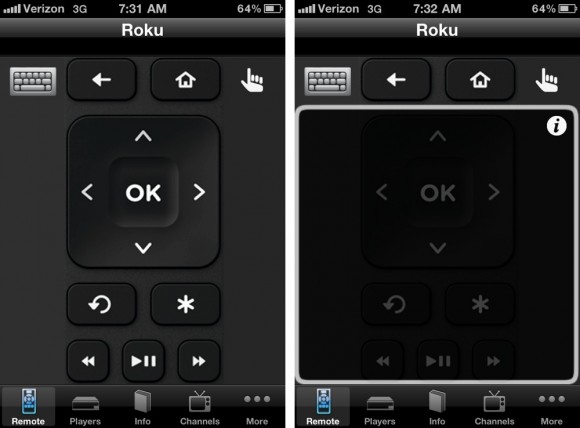
Like everyone producing mobile software, Hava’s also got an iPhone client in the pipeline. It’s looks pretty far along in development, and they expect to have it up in the iTunes App store within just a month or so. The app features a very basic remote control interface, but you’ll get your all of your home television on the go in both portrait and landscape modes. Unlike Sling’s mobile software, all of Hava’s mobile software is free of charge. (more…)
Jan 9 2009
Internet radio service Slacker has made good on their promise to deliver a Blackberry client. Unlike Pandora on the iPhone, which only streams music, Slacker has the ability to both stream or download tracks. Meaning, it’s possible to load up the Blackberry microSD card with your favorite “stations” before commuting via plane or subway. I did take a very brief look at a beta build prior to CES (pics of Melissa’s Curve below), and quite like the look and feel. Audio playback exhibited some stuttering, but I’ve been told this particular handset’s performance has been greatly improved with the latest build.
What I didn’t know, prior to the show, is that a free iPhone client was also in the works. And, apparently, development has progressed quite nicely because we may see it available on the iTunes App store as early as today. While the Slacker G2 and new Blackberry client both cache content, Slacker’s iPhone software purely streams… providing new competition for Pandora. Although, folks may prefer the less intrusive graphical Pandora advertising over Slacker’s audio commercials. (Slacker Radio Plus, at $3.99/mo, does away with all advertising. Plus, it enabled unlimited song skips and requests.)
Jan 6 2009
Apparently my expectations weren’t low enough, and Apple’s final Macworld keynote featured very little in the way of compelling new tech. Which pretty much emphasizes why Apple doesn’t need to headline, if conversation remains product-focused. And pre-announcing products is bad for business – tech should be delivered when ready. Not on arbitrary show dates. So we’ll just have to wait for that iPhone Nano or terabyte Mac Mini server. When events like CES began their runs, the industry was much different – most notably the speed (or lack thereof) of information dissemination. But… yada, yada, yada. On to the tech you really came here for.
For me, as both an industry observer and as a geeky consumer, the most notable announcement is Apple (and the studios) making their entire music library DRM-free. Additionally, variable track pricing will be coming later this spring: $.69, $.99, and $1.29
Other than that, Apple extends their new Macbook manufacturing process to a 17″ MacBook Pro refresh. The updated laptop, with non-removeable 8 hour battery, will be available later this month starting at $2800. ‘09 editions of iLife ($79) and iWork ($99) are available now. iPhoto’s new facial recognition technology, used for sorting/organization, looks particularly interesting… though, it’s yet to be seen how well it’ll perform. Also interesting is Apple’s continued dabbling ‘in the cloud’ with an iWork.com beta for online document collaboration.
As for me, I’m still waiting for the iPhone HD with higher resolution camera… suitable for both stills and video. I’ll also take some true turn-by-turn navigation software on the iPhone. Pretty please.
Kudos to Greg for keeping me looped in with Macworld keynote news via Twitter while I was airborne.
Nearly two years to the day that Roxio (finally) brought TiVoToGo video transfers to Mac owners, they’ve announced an updated Toast bundle that facilitates shipping video files to a TiVo. Whereas TiVoToGo enables one to download TiVo recordings to a computer, this new feature provides Mac users with a means of transmitting video from computer to television. However, this isn’t entirely new… Video transcoding and delivery have been available to PC TiVo Desktop Plus customers for some time and there’ve even been a few freebie community applications with this functionality.
In discussing the the new Toast software package with TiVo yesterday, it seems that any video capable of being viewed within the OS X QuickTime Player can be transcoded and transferred via the Mac2TiVo utility. However, the similarity to TiVo Desktop Plus end there… as the software will not monitor and transfer web video feeds.
Roxio Toast 10 with Mac2TiVo should be available later this month for $100. As with prior releases, I’d keep an eye out for coupon codes, rebates, and steep discounts through vendors like Buy.com.
The holidays, and related precious photo opportunities, are upon us… so it’s time for a backup public service announcement. And, unfortunately, I have a feeling most non-geeks leave their data vulnerable to loss.
The point was driven home recently, when I recovered the mother-in-law’s PC – containing thousands of irreplaceable photos, including a trip to China and her son’s wedding. After numerous attempts, the XP machine wouldn’t boot into Windows. Which is when I was called in. I figured either the install had been corrupted or the hard drive was failing. Since the drive was still functional, the first order of business was ensuring the safety of her priceless data. I popped the SATA drive into an external dock (above, ran me about $35 at Micro Center) and offloaded her content onto my Macbook. Then I went about restoring XP (on the same drive), followed by her files. And left her with a backup DVD. However, it’s just a stop-gap… and folks need a more comprehensive archive strategy.
Ideally, data is backed up both locally (convenience) and remotely (redundancy). Apple attempts to bring simple, seamless local archiving and restoration to the masses with Time Machine. While a Time Capsule is probably the easiest implementation for novices avoiding clutter, I periodically hang a 750GB Maxtor One Touch 4 off my MacBook via USB. In the days when Windows was my primary OS, I relied on Acronis True Image for disk images and incremental backups. My main Vista install is a Boot Camp partition, and I’ve used the free Winclone to take a baseline image that I can rebuild from should the need arrive. For remote storage, I was a Mozy customer for some time… But have since moved on to SugarSync. While it’s not quite the Mozy+Mac Gallery+Dropbox über solution I was hoping for, they’re off to a good start – I’m willing to give them some time to refine and and enhance their service. (Neither of these cloud storage services would be appropriate if your ISP restricts you to a low data transfer cap.)
So, are you backing up… If so, how? If not, why? And standby for a post by Dale on his Drobo RAID-like storage usage.
Dec 21 2008
It’s no secret that Mari and I are big fans of Internet “radio” services Pandora and Slacker. And recently both companies have been cooking up new ways to access their programming. This month, Pandora introduces a Vista sidebar gadget and limited Windows Mobile handset support.
The Vista widget has a polished appearance and operates well. Although, while it is much more compact than Pandora’s Adobe Air desktop client, be prepared to give up a large chunk of your sidebar. Collapsible track info or album art options might help, but the strip containing the Windows Vista logo (above) is persistent and will ultimately feature advertising. I also suggest the Pandora dev team think beyond the sidebar, like the very nice XM gadget or even Microsoft’s own RSS headlines, for changing stations rather than forcing us to operate in such a cramped space.
On the Windows Mobile front, this marks the first time Pandora has provided a mobile software client direct to consumers… independent of a carrier approval and fees. Initially, the HTC XV6900/Touch (Sprint & Verizon) and Motorola Q9C (Sprint & Verizon) handsets are supported. So, while I own Consumer Reports top rated cellphone (Blackjack II), I haven’t yet experienced the new Pandora Mobile. (However, I’m counted amongst the 2 million registered iPhone app users.)
A periodic roundup of relevant news… from our other blogs: