All your digital media goodness.
If you’re a heavy user of Netflix’s streaming movie service “Watch Now,” you may have run into the Netflix-imposed restriction of registering a maximum of three computers. Attempting to install and use Netflix Watch-Now on a fourth computer will most likely result in an error having you to contact customer service for another “key.” This hack has been around on the forums for a while now, but Tech-Recipes today posted the simple how-to on getting around the limitation without needing to contact Netflix Customer Support.
If your wondering how one would ever need to use Netflix Watch Now on more than three computers then consider this scenario: I have three HTPCs at home, one laptop from work that goes with me everywhere, my daughter’s laptop and my wife’s laptop. Any of those computers are likely to access Netflix Watch-Now at any time to pick up a show or movie.
The workaround for this is pretty simple involving a registry hack and a few additional steps. Check it out at Tech-Recipes.com. I’ve tried it on a fourth PC and it worked perfectly.
Check out more of Brent’s reflections on tech, gadgets, software and media at Brent Evans Geek Tonic.
May 1 2008
The latest TiVo hack doesn’t actually require any hacking. Last fall, TiVo partnered up with Creston to integrate the Series3 into their home automation framework. While I haven’t heard anything since, it turns out the hooks are wide open (via Omikron) to any application or hardware on one’s home network - and possibly well beyond by implementing router port fowarding. Until something more polished is developed, the telnet protocol allows you to manually feed a variety of remote commands to a networked TiVo. For example, in the video above, I’m using a terminal application on my jailbroken iPhone as a rudimentary WiFi remote control. There’s some real interesting potential here…
Oct 6 2007

While twiddling my thumbs waiting for the official Multi-Room Viewing (MRV) and TiVoToGo (TTG), I went ahead and cobbled together my own very nice MRV solution.
I’ve read online that the max distance for a non-amplified HDMI cable run may not meet my needs, but quite a few vendors offer long HDMI cables. So I took the plunge and paid $51.01 (including shipping) for Monoprice’s most expensive 35′ HDMI cable. That allowed the living room Series3 to power the 42″ plasma locally via component, while simultaneously powering the 30″ bedroom HDTV via HDMI (with the help of a $5 13/16″ drill bit) as shown below. Video and audio come through very well, and there’s no indication that the source TiVo is out of range.

The next challenge is remotely controlling the TiVo… And at the same time this plan was percolating, Monster offered me their Harmony-powered IR+RF remote (AVL300) for review (MSRP $400). I’ve programmed it to control the bedroom TV via IR and the livingroom Series3 via RF. Response through the walls and around corners has been instantaneous, again with no indication the TiVo is located somewhere else.

Overall, this solution is very nice. I’m enjoying the immediate playback from a remote DVR, including HD content… unlike TiVo’s Multi-Room Viewing which doesn’t always stream (standard def content) real-time without having to wait for the buffer to build. I also like the idea of having one DVR to manage, though I’m limited to recording on the two Series3 tuners. (I still have a Humax DVD-burning TiVo in the bedroom… for now.)
May 29 2007

Whether you like Apple TV or not, last100 (via AwkwardTV) reports it’s relatively easy now to create plug-in applications with the unofficial AppleTV software development kit (SDK). In a closed ecosystem like AppleTV, having a hacker’s SDK is probably crucial to acceptance and proliferation among the geek community.
What will be interesting to me is how the Apple development environment ends up comparing to deliberately-open TV environments. For example, the Open Cable Application Platform (OCAP) is designed to make it easy for third parties to create cable set-top applications. Motorola (my employer), among others, has introduced an OCAP SDK that will be packaged alongside a Motorola set-top for anyone who wants to build apps for cable TV hardware. Mind you, we’re probably talking about development shops as opposed to individuals, but I do wonder how innovation will play out differently in an open environment versus a proprietary one. And yes, I do recognize the irony in considering cable TV an open environment.
1. 30 Second Skip
ReplayTV offered the consumer friendly Commercial Advance feature, which probably contributed to their court woes and ultimate demise. Fortunately, TiVo provides a “secret” (shh, don’t tell) code for enabling a 30 second skip. Press the ->| button 4-5 times to quickly bypass most commercial interludes. It’s not quite as cool as Replay’s feature, but hey TiVo is still selling hardware.
TiVo Platforms:
Directions:
2. Expand Storage
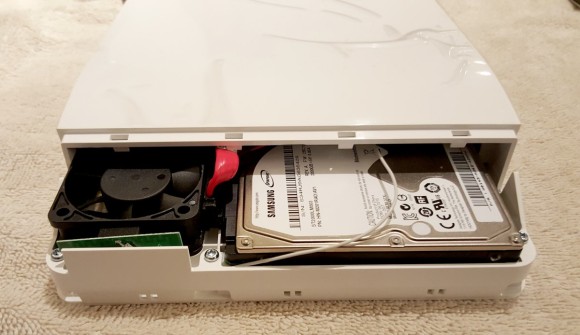
One of the easiest ways to increase the value of your TiVo is to enlarge your recording capacity by upgrading your internal hard drive with something a bit more roomy. You could do it yourself, but most folks will be more comfortable buying a prepped drive. You won’t find any bargains, but you’ll save yourself some time and energy.
TiVo Platforms:
Directions:
HDTiVo has discovered a method to download Amazon Unbox videos to multiple TiVos simultaneously (using XP and IE7). No telling why you’d want to do this (unless you have kids) since the license and content are transferable, but like many hacks that isn’t the point.
After clicking the download button on the downloads page with the list of your unbox videos, you get a thumbnail page with a drop down box to choose the device and click another download button.
After doing that, a confirm page comes up (for me in a new tab) which I close. I am left with the prior thumbnail page that still has the drop down box. I can then choose another device to download to and click download…
… repeat as many times as you like.
Feb 13 2007
Over the last couple of months, there have been reports of HD-DVD and Blu-ray copy protection being defeated and bypassed. While my last gig was a DEA PKI project, I can’t say I’m an expert in this area and I haven’t slogged through the public AACS documents. While it’s unclear if these methods (and keys) are temporary “solutions” or if they will permanently bypass AACS, one hacker describes his methodology for teasing out the data:
This gave me an idea: what I wanted to do is “record” all changes in this part of memory during startup of the movie. Hopefully I would catch something interesting. In the end I did something a little more efficient: I used the hd dvd vuk extractor and adapted it to slow down the software player (while scanning its memory continuously) and at the very moment the Media Key (which I now knew: my bottom-up approach really paid off here) was detected it halted the player. I then made a memdump with WinHex. I now had the feeling I had something. And I did. Not surprisingly the very first C-value was a hit. I then checked if everything was correct, asked for confirmation and here we are.
Dec 28 2006

As with the recent hacker community replacement for Mac TiVoToGo vaporware, an inspired customer has stepped forward with a solution before the vendor could/would. Andy, over at the Sling Community Forum, has documented how he got the Slingplayer working on Linux. Like other Windows ports, he uses WINE to make it happen… but with a couple of secret ingredients: Windows Media Player 9 and various “Slingplayer Dependencies” which he kindly zipped up for us. Thanks, Andy!