All your digital media goodness.
Jan 8 2009
Pepcom’s Digital Experience is like a small, tame version of the full CES, and yet it’s still overwhelming. My strategy this year was to hone in on a couple of companies and see what I could learn. First stop: GiiNii.
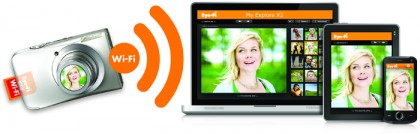
I targeted GiiNii because of the company’s new Wi-Fi photo frame. My experience with eStarling’s early wireless frame was ill-fated. It refused to work any farther than five feet from a router, the screen was smaall, and the troubleshooting process was less than satisfying. GiiNii and several other companies this year are looking to take Wi-Fi frames to the next level. The GiiNii product I saw at Digital Experience, part of the new Pixplus line due out in mid-2009, sported a large 10.1″ display with touch panel at the bottom, and offered up RSS content in addition to photos. This may be the future of the widget station. Buy an Internet-connected device to show off photos, and use it secondarily as a display for other non-TV, Internet content. The GiiNii frame shows streams of content from FrameChannel.com and HowStuffWorks.com - from weather, to sports scores, to stocks, and more.
Meanwhile, the PixPlus digital frames weren’t even the highlight of GiiNii’s portfolio. The company had an iPod Touch knock-off called the Movit Mini with a 4.3″ touch screen. Engadget dug it and its apparent Android platform. I imagine we’ll see several variations of this theme at cheaper-than-iPod prices in the coming year.
Plus, GiiNii had a patent-pending add-on for cameras letting amateur photographers set up reasonable self-portraits. This is one of those innovations that seems beyond obvious when you see it. The picture below shows how the camera reflects the photo it is taking for the objects of the picture to view. Wonder what your picture will look like before it snaps? GiiNii can help you out with C-U-C-Me technology.
I had never heard of GiiNii before this evening, but I’ll be keeping an eye on them. The company has an impressive line-up… if it can survive the economic woes of the CE market in 2009.
Still looking for a “thoughtful” gift or two for the folks on your holiday shopping list? It may be time to hit up one of the many digital photo services around and design your own. Luckily, now that the masses have caught on to simple photo books (thanks to Oprah), there are new tricks for creating unexpected gifts with your digital images. Here’s a list of five that I’ve used:
Motionbox
I discovered Motionbox at CES last year, and have been carrying around their sample flipbook ever since. Motionbox does something I’ve seen no other company do. They create a flipbook out of any 15-second video you submit to their site. I finally ordered a couple this year at $7.99 each. I can’t think of a better stocking stuffer.
The Magic of Moo
Moo made its name creating cheap mini cards, and indeed I get my own custom business cards printed from the company every year. But you can do a lot more at the Moo site. Last year I had the brilliant idea (okay, I probably stole it from the Moo blog) to order a set of NoteCards and then attach magnets to the back of them. The concept is ideal for any token gifts you have to give to a group of people because you can use as many as 16 different images in one pack of cards. Make funny ones for your office mates or cute ones for the parents in your kid’s Scout troop.
Collage Prints
Regular photo collages are generally a pain to make because they involve irregular sizes and sometimes even irregular shapes. Snapfish, on the other hand, has come up with a solution that takes all the hard work out of the process. Submit up to 20 photos, and Snapfish will create a collage print for you. An 8″x10″ photo collage is only $2.99. Get a simple frame, wrap it up, and you’re ready to go.
Scrapblog Prints
If you like to work at your gifts, Scrapblog has an alternative to Snapfish’s automated collage prints. With Scrapblog, you create digital scrapbook pages, complete with graphics, text, effects, and just about anything else you can imagine. And now that Scrapblog has printing capabilities, you can turn those digital pages into prints… or cards, or books, or calendars. If you’ve got massive artistic capabilities, this is the way to go. The possibilities are literally endless.
Slide converting
Finally, if you’re feeling really generous with your time, you can dig out a friend or relative’s old slides and use a scanner to convert them to digital photos. I did this last year with an available HP photo scanner, and then dropped the digital images on a digital photo frame. It’s the best gift I’ve ever given my dad, and I plan to live off the brownie points until at least Chrismas 2010.
So I hear Google’s introducing a new beta product today. No, not that Chrome web browser. But rather, a real update (finally!) to Picasa. Assuming all goes according to plan, Picasa 3.0 (beta, Windows) and enhanced Picasa Web Albums will both be unveiled this afternoon. The most significant new feature appears to be face recognition:
The “name tag” feature presents users with collections of photos with what it judges to be the same person, then lets them click a button to affix a name. “Once you’ve started naming people, we’ll start suggesting names for you based on similarity,” said Mike Horowitz, Google’s Picasa product manager.
Feasible photo face recognition and search is something Jeremy Toeman and I discussed several years ago… So I’m a bit surprised it’s taken this long to see these features creep into consumer software. Although I can’t say I’m surprised with the challenge in properly identifying a subject:
“Our face-matching technology works best when a person is looking at the camera,” Horowitz said. “There are a variety of factors that may limit our success in matching faces, including profile views and challenging lighting conditions like shadows.”
Of the additional new features, video slideshows with YouTube export look most appealing. I’m interested in seeing how they stack up against iPhoto and Animoto (now out of beta).